JAN 15, 2026ARTICLE
What is an AI Legal Assistant? A Comprehensive Guide for In-House Teams
Discover what an AI legal assistant is and how it transforms in-house legal teams. Learn key features, benefits, security considerations, and how to choose the right platform.

The In-House Counsel’s Guide to Legal AI
In-house legal teams are at a crossroads. The volume of legal work is exploding, but budgets are not. Business teams expect legal to be a strategic partner, not a roadblock, and the pressure to do more with less has never been greater. This is where legal AI comes in. AI for lawyers is no longer a futuristic concept; it’s a practical reality that is transforming the way legal work gets done.
This guide is designed for in-house legal professionals who want to understand what an AI legal assistant is, how it works, and how to choose the right one for their team. We’ll cover everything from key features and benefits to security considerations and how to evaluate different legal AI tools. By the end of this guide, you’ll have a clear understanding of how AI for legal services can help your team work smarter, not harder.
Q&A Section
What is an AI legal assistant?
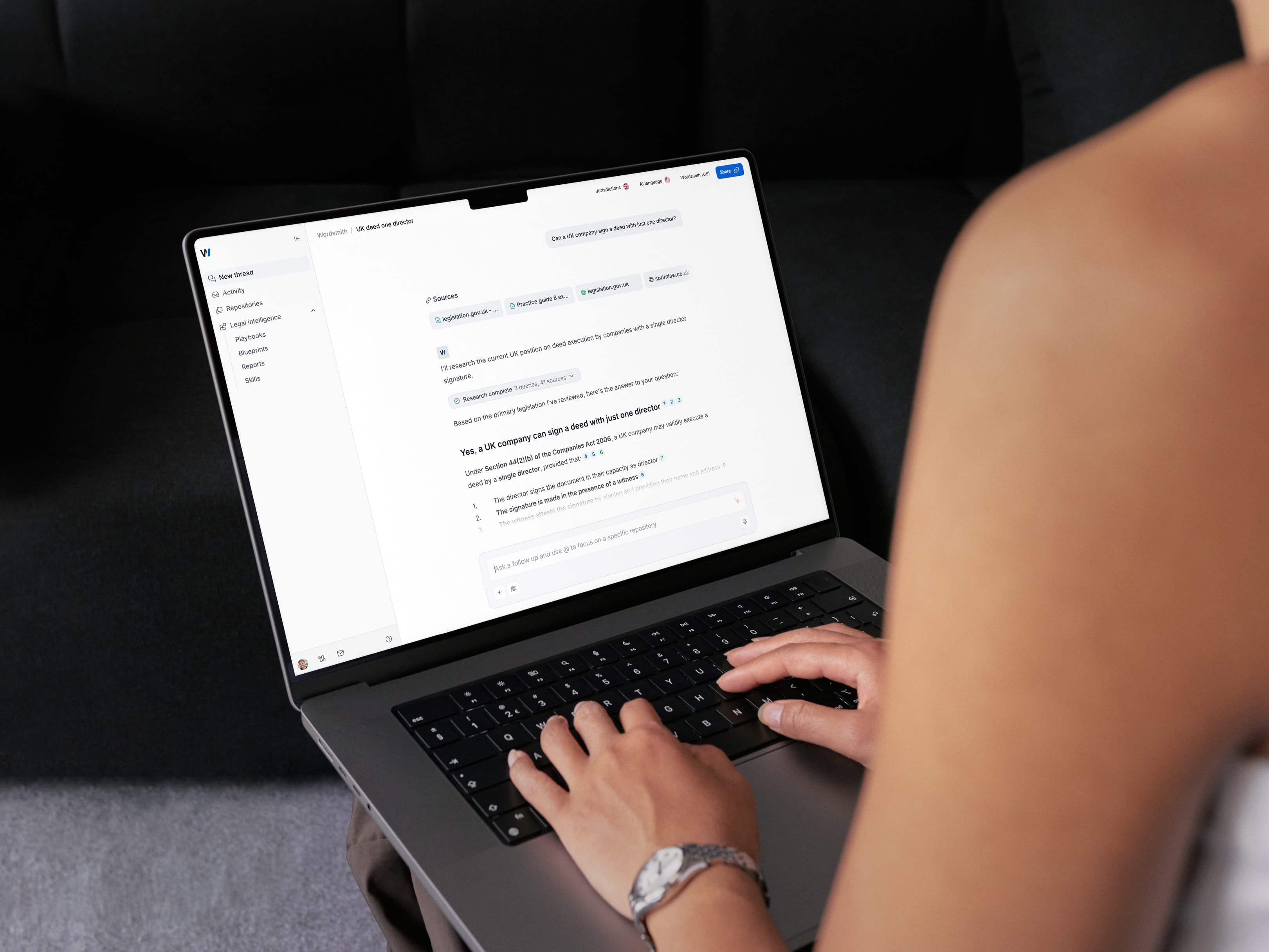
An AI legal assistant is an advanced software tool that uses artificial intelligence (AI) and large language models (LLMs) to help legal professionals with a wide range of tasks. It can automate legal research, draft documents, review contracts, manage workflows, and answer legal questions, all while integrating with the tools you already use.
What does a legal AI assistant do?
A legal AI assistant can perform many tasks, including:
- Legal Research: Quickly search and summarize case law, statutes, and regulations.
- Document Drafting: Create first drafts of contracts, memos, and emails.
- Contract Review: Analyze contracts for compliance with company playbooks and flag risks.
- Document Management: Organize and search your contract repository.
- Workflow Automation: Streamline legal processes and approvals.
Are AI legal assistants safe to use?
Yes, when you choose a platform with strong security measures. Look for vendors with SOC 2 Type 2 certification, GDPR compliance, and strong data privacy protections. This ensures that your confidential data is protected.
What is the best AI legal assistant for in-house teams?
The best legal AI for in-house teams is one that is purpose-built for your needs. Look for a platform that integrates with your existing tools (like Slack, Word, and email), offers custom playbooks for contract review, and provides strong security and data privacy protections. Wordsmith.ai is designed specifically for in-house legal teams.
How Do AI Legal Assistants Work?
To understand how AI legal assistants work, you need to know the basics of generative AI. These tools are powered by:
Machine Learning (ML): The process AI programs use to "learn" from data to improve their performance. Think of it as the AI studying and doing homework to improve its model.
Large Language Models (LLMs): These are the massive neural networks that power generative AI. They are trained on vast amounts of text and can understand and generate human-like language.
Natural Language Processing (NLP): This is the technology that allows you to interact with AI using plain English. You can thank NLP for being able to write a prompt into a generative AI tool instead of writing code.
What separates an AI legal assistant from a generic tool like ChatGPT is that it is trained on legal data and integrated with your legal workflows. This means it understands legal terminology, can access your contract repository, and is designed to perform specific legal tasks.
Key Capabilities of an AI Legal Assistant (with Use Cases)
AI legal assistants can help with a wide range of tasks, from simple automation to complex analysis. Here are some of the key capabilities with detailed use cases:
1. Legal Research and Case Law Evaluation
Use Case: Your marketing team wants to launch a new campaign and asks you to review the latest advertising regulations in California. Instead of spending hours on Westlaw, you can ask your AI legal assistant: "What are the key requirements for digital advertising in California under the latest consumer protection laws?" The AI will search relevant statutes and case law and provide a concise summary with citations.
2. Document Drafting
Use Case: You need to draft a new Master Services Agreement (MSA) for a new vendor. Instead of starting from a blank page, you can use your AI legal assistant to generate a first draft based on your company’s standard template. You can then use the AI to customize the MSA with specific terms for the new vendor.
3. AI Contract Review
Use Case: Your sales team sends you a third-party paper agreement for a new customer. Instead of manually reviewing the 30-page document against your company’s playbook, you can use your AI legal assistant to do it in seconds. The AI will flag any non-compliant clauses, suggest fallback positions, and even generate a redlined version of the document.
4. Due Diligence
Use Case: Your company is considering acquiring a smaller company. You need to review hundreds of contracts to identify any potential risks or liabilities. Instead of manually reviewing each contract, you can use your AI legal assistant to extract key information, such as change of control clauses, indemnification provisions, and intellectual property assignments.
5. Workflow Automation
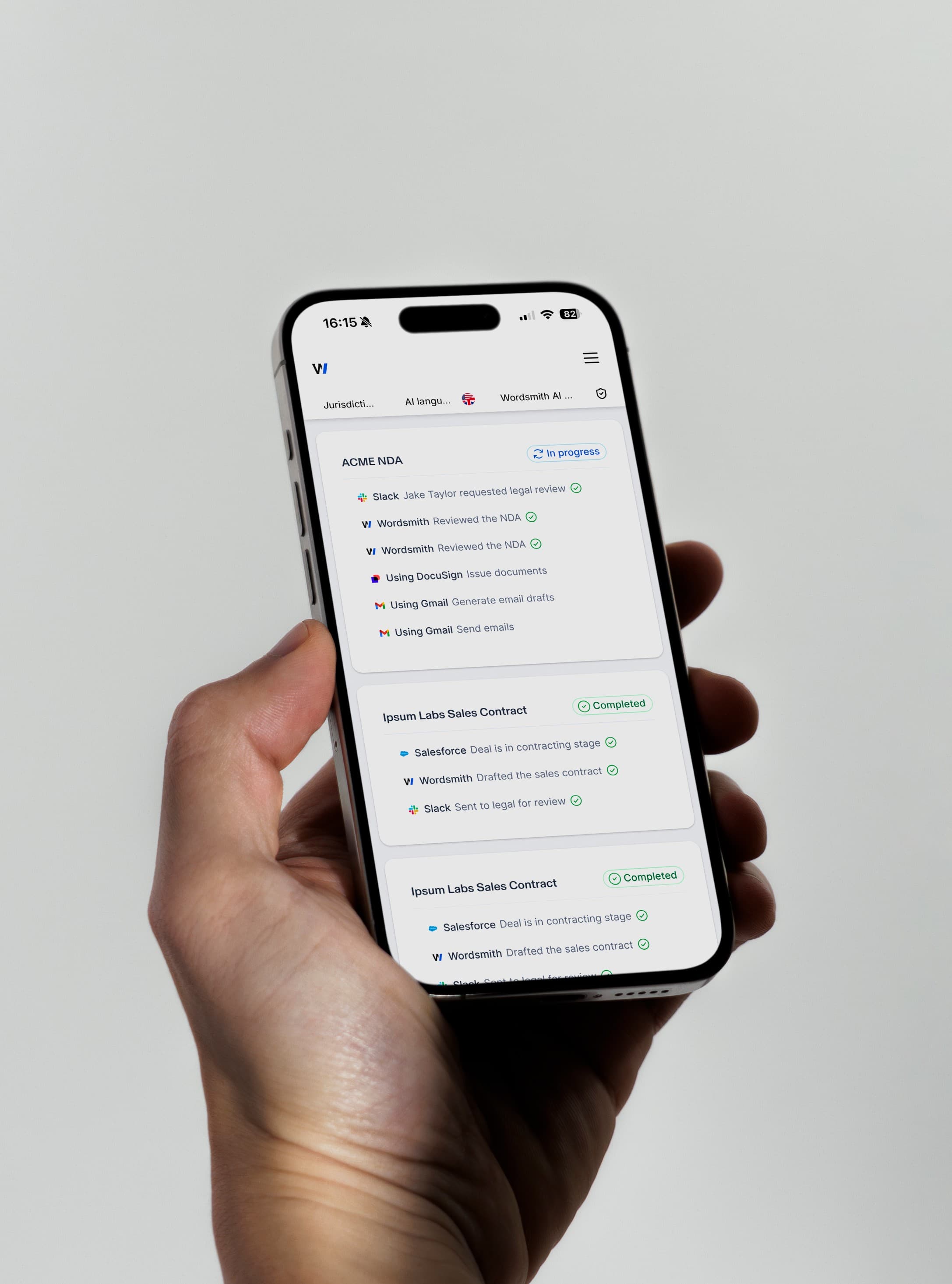
Use Case: Your current contract approval process is a mess. Contracts get stuck in people’s inboxes, and it’s hard to track where anything is. With an AI legal assistant, you can create an automated workflow that routes contracts to the right people for approval based on the contract value, department, and other criteria.
6. Contract Analytics
Use Case: Your CFO wants to know how many of your customer contracts have a limitation of liability clause that is less than two times the annual contract value. Instead of manually reviewing hundreds of contracts, you can use your AI legal assistant to search your entire contract repository and get an answer in seconds.
Building a Business Case for an AI Legal Assistant
To get budget for an AI legal assistant, you need to build a strong business case. Here’s how:
1. Quantify the Time Savings: Track how much time your team spends on repetitive tasks that could be automated. For example, if your team spends 10 hours a week on contract review, and an AI tool can reduce that by 80%, that’s 8 hours a week saved. That’s over 400 hours a year!
2. Calculate the Cost Savings: Quantify the cost of using outside counsel for routine tasks. If you can bring more work in-house by using an AI legal assistant, you can significantly reduce your legal spend.
3. Highlight the Risk Reduction: Explain how an AI legal assistant can help to reduce risk by ensuring all contracts comply with company standards and by identifying potential issues in contracts.
4. Emphasize the Business Enablement: Explain how an AI legal assistant can help the business move faster by accelerating contract turnaround times and providing self-service tools for business users.
Command Center vs. Point Solutions: A Comparison
When evaluating legal AI tools, you’ll find two main categories: point solutions and command centers.
Point solutions are designed to do one thing well. For example, you might have a point solution for e-discovery, another for legal research, and another for contract redlining. While these tools can be effective, they can also create a fragmented workflow and lead to data silos.
A command center like Wordsmith.ai, on the other hand, is an all-in-one platform that provides a suite of tools to automate the entire legal workflow. It’s a single source of truth for all your legal work, from drafting and review to repository management and approvals.
| Feature | Point Solution | Wordsmith.ai (Command Center) |
|---|---|---|
| Workflow | Fragmented, requires switching between tools | Integrated, seamless workflow |
| Data | Siloed in different systems | Centralized in a single repository |
| Cost | Multiple subscriptions, can be expensive | Single subscription, better value |
| Implementation | Multiple implementations, can be complex | Single implementation, fast time to value |
| User Experience | Inconsistent, requires learning multiple tools | Consistent, easy to use |
For in-house teams that want to get started with legal AI, a command center approach is often the best choice. It provides a comprehensive solution that is easy to implement and use, and it can grow with your team as your needs evolve.
How to Choose an AI Legal Assistant: An Evaluation Framework
With so many legal AI tools on the market, it can be hard to know which one is right for your team. Here’s a framework for evaluating AI legal assistants:
1. Purpose-Built for In-House: Is the tool designed for in-house legal teams, or is it a generic tool for law firms? Look for features that are relevant to your workflows, such as integrations with business tools and custom playbooks.
2. Deep Integrations: Does the tool integrate with the systems you already use, such as Microsoft Word, Slack, email, and your document management system? The best tools work where you do, without requiring you to switch between different applications.
3. Strong Security and Data Privacy: Does the vendor have SOC 2 Type 2 certification? Do they offer strong data privacy protections? Can they guarantee that your data is handled securely?
4. Ease of Use: Is the tool intuitive and easy to use? Can you get up and running quickly, or does it require a lengthy implementation process?
5. AI-Native Architecture: Is the tool built on a modern, AI-native architecture, or is it an older platform with AI layered on top? AI-native platforms are generally more powerful, flexible, and reliable.
Security & Privacy: What to Look For
When it comes to legal AI, security is non-negotiable. Here are the key security and privacy features to look for:
SOC 2 Type 2 Certification: This is an independent audit that verifies the vendor has strong security controls in place.
GDPR Compliance: If you operate in Europe, ensure the vendor is compliant with the General Data Protection Regulation.
Data Encryption: All data should be encrypted both in transit and at rest.
Access Controls: You should be able to control who has access to your data and what they can do with it.
Clear Data Policies: Understand how the vendor handles your data and whether it is used for any purposes beyond providing the service.
Wordsmith.ai: The AI Legal Assistant Built for In-House Teams
Wordsmith.ai is an AI-native Legal Enablement Platform designed specifically for in-house legal teams. It combines the power of generative AI with deep integrations into your existing workflows, helping you automate repetitive tasks, accelerate contract reviews, and become a more strategic partner to the business.
Why Wordsmith.ai is Different:
Purpose-Built for In-House: We focus on the unique challenges of in-house legal teams, with features like custom playbooks, business team self-service, and integrations with Slack and email.
Works Where You Do: Our deep integrations with Microsoft Word, Slack, and other business tools mean you can access the power of AI without leaving your existing workflow.
AI-Native and Secure: We are built on a modern, AI-native architecture and offer SOC 2 Type 2 certification, GDPR compliance, and strong data privacy protections.
Fast Time to Value: You can be up and running with Wordsmith.ai in minutes, not months.
Conclusion: Embrace the Future of Legal Work
Legal AI is no longer a futuristic concept; it’s a practical tool that can help in-house legal teams work more efficiently and effectively. By automating repetitive tasks and providing powerful insights, AI empowers you to focus on what you do best: providing strategic legal advice.
When choosing an AI legal assistant, look for a platform that is purpose-built for in-house teams, offers deep integrations, and provides strong security and data privacy protections. By embracing the power of AI, you can transform your legal department from a cost center into a strategic business enabler.
Frequently Asked Questions (FAQ)
What is the difference between an AI legal assistant and a CLM?
An AI legal assistant is focused on augmenting the work of legal professionals with AI-powered features like research, drafting, and review. A Contract Lifecycle Management (CLM) system is focused on managing the entire lifecycle of a contract, from creation to renewal. Many modern AI legal assistants, like Wordsmith.ai, offer CLM-like features without the heavy implementation of a traditional CLM.
Can an AI legal assistant replace a lawyer or paralegal?
No. AI is a tool to augment, not replace, legal professionals. It can automate repetitive tasks, but it cannot provide legal advice or exercise human judgment. The goal of AI is to free up lawyers and paralegals to focus on more strategic, high-value work.
How much does an AI legal assistant cost?
Pricing for AI legal assistants varies depending on the vendor and the features included. Some vendors charge per user, while others offer a platform fee. Contact us for a custom quote.
How do I get started with an AI legal assistant?
The first step is to identify your key pain points and use cases. Then, you can start evaluating different vendors based on the framework we’ve provided. Most vendors offer a demo or free trial, which is a great way to see the tool in action.
Is ChatGPT a good legal assistant?
While ChatGPT can be useful for general tasks, it is not a specialized legal AI assistant. It is not trained on legal data, does not have the necessary security and privacy features, and is not integrated with legal workflows. For serious legal work, it is essential to use a purpose-built legal AI platform.