JAN 18, 2026ARTICLE
Contract Management Automation: How AI Streamlines Legal Workflows
Discover how AI-powered contract management automation streamlines legal workflows. Learn how in-house teams automate NDAs, sales agreements, and more.

The In-House Counsel’s Guide to Contract Management Automation
For in-house legal teams, the contract management process is often a tangled web of manual tasks, disconnected systems, and endless email chains. From intake and review to approvals and execution, the process is slow, inefficient, and ripe for automation. But what if you could automate your entire contract management workflow, from start to finish?
This guide will explain how AI-powered contract management automation can help you to streamline your legal workflows, reduce risk, and free up your team to focus on more strategic work. We’ll also show you how Wordsmith.ai’s innovative features, including our new Builders and Omni Column capabilities, can help you to build custom, automated workflows that are tailored to your specific needs.
Q&A Section
What is contract management automation?
Contract management automation is the use of technology to streamline and automate the contract lifecycle, from intake and review to approvals, execution, and storage. This can include everything from automated reminders and notifications to AI-powered contract review and analysis.
What are the benefits of contract management automation?
The benefits of contract management automation include:
- Increased efficiency: Automate manual tasks and speed up the contract lifecycle.
- Reduced risk: Ensure compliance with your company’s policies and reduce the risk of human error.
- Improved visibility: Get a real-time view of the status of all your contracts.
- Cost savings: Reduce your reliance on outside counsel and free up your team for more strategic work.
How can I automate my contract management process?
You can automate your contract management process with an AI-native platform like Wordsmith.ai. Our Builders feature allows you to create custom, automated workflows for different types of contracts, while our smart column functionality in Repositories gives you a real-time, interactive way to manage your entire contract portfolio.
The Chaos of Manual Contract Management
For most in-house legal teams, the contract management process is a chaotic mess. It typically involves a combination of email, shared drives, and spreadsheets, with no single source of truth or clear line of sight into the status of a contract. This leads to a number of problems, including:
- Lost contracts: Contracts get lost in email inboxes or buried in shared drives.
- Missed deadlines: Renewal dates and other key deadlines are missed, leading to financial penalties and lost opportunities.
- Lack of visibility: It’s impossible to get a real-time view of the status of all your contracts.
- Inefficient workflows: The process is slow, manual, and frustrating for everyone involved.
The Solution: AI-Powered Contract Management Automation
AI-powered contract management automation is the solution to this chaos. By automating the contract management process, you can create a single, streamlined workflow that is efficient, transparent, and easy to manage. An AI-native platform like Wordsmith.ai can help you to automate your entire contract management process, from start to finish.
Build Custom Workflows
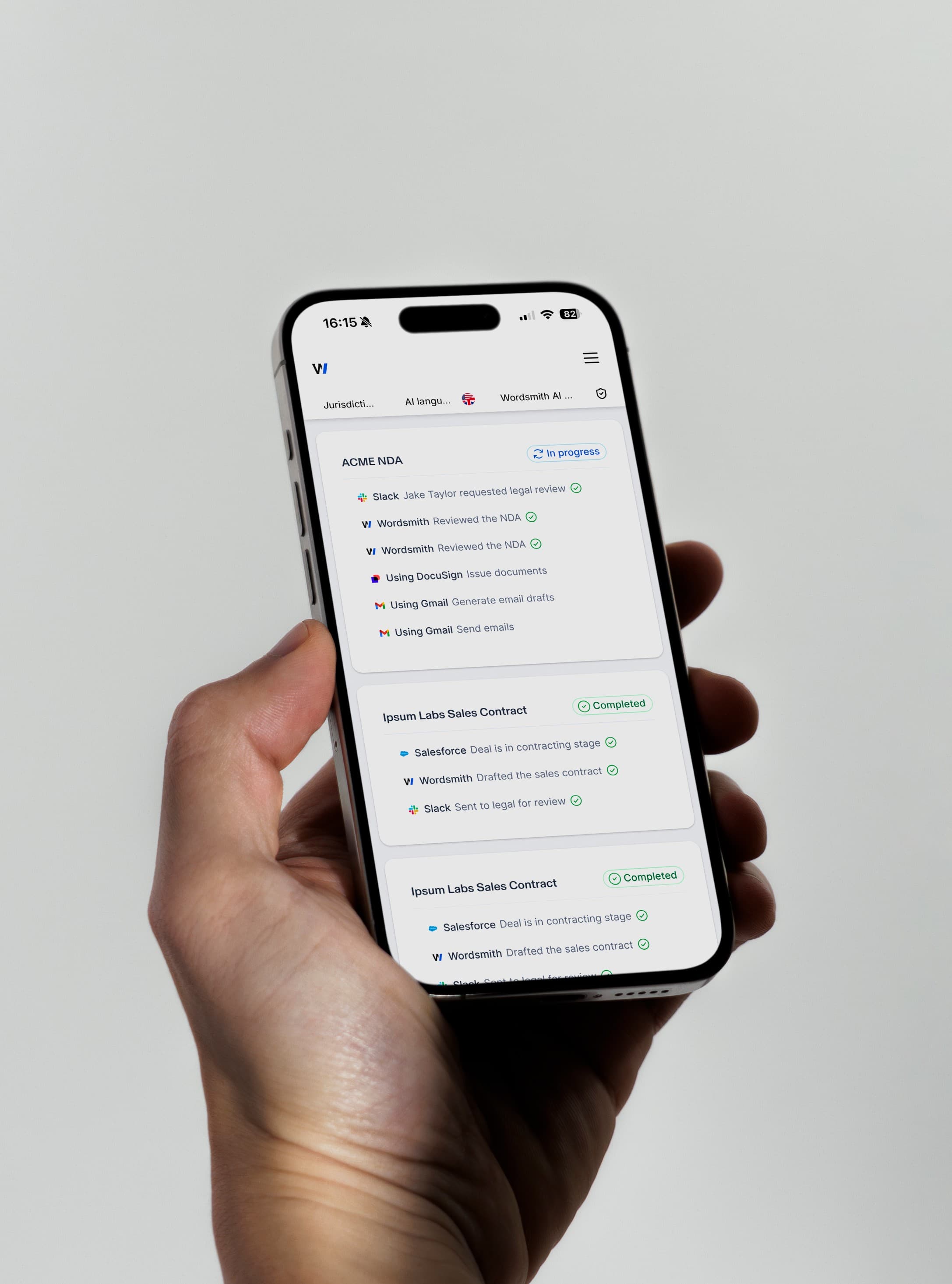
Wordsmith.ai’s allows you to create custom, automated workflows for different types of contracts. You can create workflows for everything from NDAs and sales agreements to vendor contracts and employment agreements. For each workflow, you can define the specific steps, assign tasks to different team members, and set up automated reminders and notifications.
For example, you could create a workflow for a new sales agreement that automatically:
- Notifies the legal team when a new contract is submitted.
- Assigns the contract to a specific lawyer for review.
- Sends the contract to the finance team for approval.
- Routes the contract to the CEO for signature.
- Saves the executed contract to your repository.
Get Real-Time Visibility with Smart Columns
Wordsmith.ai’s Smart Column feature in Repositories gives you a real-time, interactive dashboard for your entire contract portfolio. You can create custom columns to track the status of all your contracts, see who is responsible for the next step, and get a clear line of sight into any potential bottlenecks.
This combination of custom, automated workflows and real-time visibility is what makes Wordsmith.ai the most powerful contract management automation platform on the market. It’s a modern, agile, and affordable alternative to legacy CLM, and it’s the future of contract management.
Conclusion: Take Control of Your Contract Management Process
If you’re tired of the chaos of manual contract management, it’s time to embrace AI-powered automation. With a platform like Wordsmith.ai, you can take control of your contract management process, streamline your workflows, and empower your team to become more strategic and efficient. The future of contract management is automated, and it’s powered by Wordsmith.ai.
Frequently Asked Questions (FAQ)
How is Wordsmith.ai’s contract management automation different from a traditional CLM? Traditional CLM systems are standalone platforms that require a massive data migration and extensive change management. Wordsmith.ai is a modern, AI-native platform that integrates seamlessly with your existing tools and workflows. Our workflow functionality allows you to create custom, automated workflows, while our Smart Column feature gives you a real-time, interactive dashboard for your entire contract portfolio.
Can I customize my workflows? Yes. Our worfklow functionality allows you to create custom, automated workflows for different types of contracts. You can define the specific steps, assign tasks to different team members, and set up automated reminders and notifications.
How long does it take to set up contract management automation with Wordsmith.ai? With Wordsmith.ai, you can be up and running with contract management automation in minutes. Simply sync your existing repository, build your custom workflows, and you’re ready to go.