.
Article
Transforming Legal Workflows: How Automation Tools Revolutionize Legal Teams

How Can Automation Tools Like Zapier Transform Legal Operations?
Automation tools address the challenges of high-volume routine work by connecting disparate systems and streamlining repetitive processes. By integrating platforms like Slack, Microsoft Teams, and contract management systems, automation enables legal teams to reduce manual tasks, accelerate contract reviews, and free up time for high-value strategic work. Tools like Zapier act as the connective tissue, allowing over 7,000 different applications to work together seamlessly.
Table of Contents
The Problem: Why Legal Teams Need Automation Now
The Power of Integration: Connecting Your Ecosystem
Practical Applications: Real-World Legal Automation
Getting Started: Your Automation Roadmap
Conclusion / TL;DR
The Problem: Why Legal Teams Need Automation Now
What Challenges Does Legal Automation Solve?
Legal departments face unprecedented pressure to handle increasing volumes of routine work while demonstrating measurable value. Common pain points include:
High-Volume Queries: Floods of repetitive questions from other departments.
Fragmented Communication: Information scattered across email, Slack, and various tools.
Integration Gaps: Disconnects between specialized legal tools and core business platforms.
Efficiency Pressure: The need to prove ROI through clear metrics and KPIs.
The Power of Integration: Connecting Your Ecosystem
How Do Automation Tools Connect Legal Workflows?
Automation tools act as the "connective tissue" for your tech stack, enabling seamless data flow between platforms.
1. Seamless Tool Integration
Modern legal teams use multiple platforms. Automation tools connect them all:
Communication: Slack, Microsoft Teams, email.
Document Storage: Google Drive, SharePoint, Notion, Confluence.
Business Tools: Zendesk, Jira, and project management systems.
2. Automated Workflow Creation
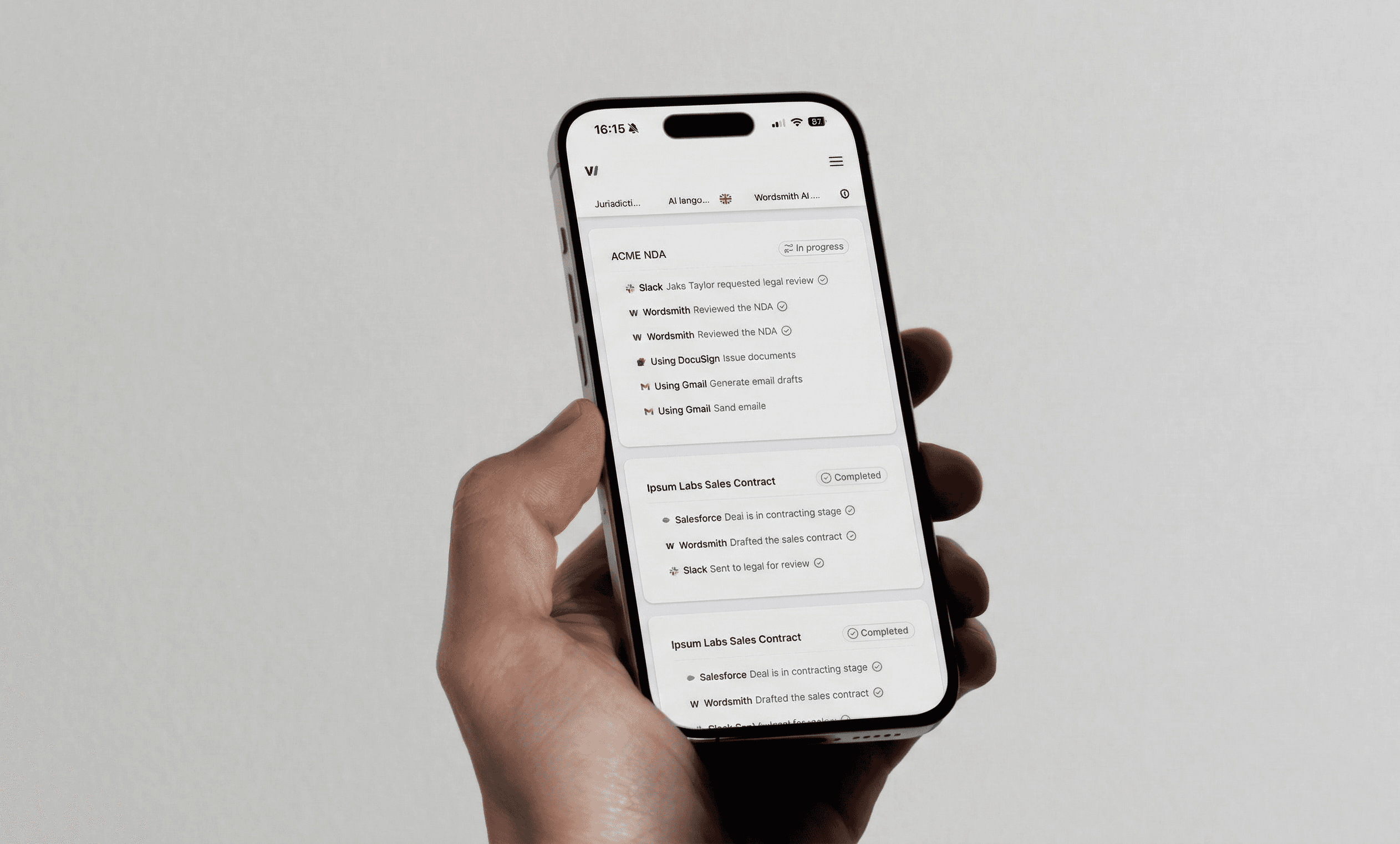
Instead of manual data entry, workflows trigger actions across platforms. For example, when a contract is uploaded:
Notification: Notify the legal team in Slack.
Task Creation: Create a review task in project management software.
Analysis: Generate a first-pass analysis using AI tools.
Practical Applications: Real-World Legal Automation
What are the Best Use Cases for Legal Automation?
Here are three powerful ways legal teams are using automation today:
1. Horizon Scanning and Regulatory Monitoring
Automate the monitoring of regulatory changes:
Monitor Sources: Connect RSS feeds from regulatory bodies.
Process Updates: Use AI to analyze and summarize new content.
Distribute Alerts: Automatically push summaries to Slack or email.
Real-World Example: A fintech company uses this to monitor minimum wage legislation, automatically alerting HR and legal teams.
2. Contract Intake and Review
Streamline the review process by centralizing intake:
Centralize Intake: Route requests through a single channel (Slack/Form).
Automatic Triage: Sort contracts by type or urgency.
Status Updates: Keep stakeholders informed automatically.
Real-World Example: Docplanner implemented an intake system that eliminated manual tracking and provided clear ETAs.
3. Self-Service Legal Support
Create "Ask Legal" channels for routine queries:
Knowledge Base: Create searchable FAQs and templates.
Automated Responses: Use AI to provide instant answers.
Real-World Example: Multiverse's procurement team became self-sufficient on initial contract reviews after just 30 minutes of training, with legal retaining oversight.
Getting Started: Your Automation Roadmap
How Should Legal Teams Implement Automation?
Follow a phased approach to ensure success:
Identify Repetitive Tasks: Audit workflows to find manual data entry or repetitive questions.
Choose Your First Automation: Start small, such as a contract intake notification or document filing workflow.
Scale and Optimize: Expand to related workflows, add complexity, and measure time savings.
Conclusion / TL;DR
Automation represents a fundamental shift in legal operations. By connecting disparate systems and enabling self-service, tools like Zapier allow legal professionals to focus on strategic counsel rather than administration.
Key Takeaways:
Strategic Focus: Automation frees lawyers from low-value admin tasks.
Integration: Tools like Zapier connect over 7,000 apps, bridging the gap between legal and business tools.
Measurable Impact: Track metrics like time savings, response times, and volume handling to demonstrate ROI.
Future-Ready: Automation is the foundation for advanced AI integration and predictive analytics.
The Bottom Line: Automation isn't about replacing legal judgment—it's about amplifying it. Start small, measure your results, and use automation to deliver maximum value to your organization.